
Annotate PDFs and documents without the back-and-forth
Upload a PDF or document, click anywhere to pin a comment, and send one link. Reviewers add feedback right on the page — no account, no Acrobat, no email attachments.
No credit card · Clients need no account
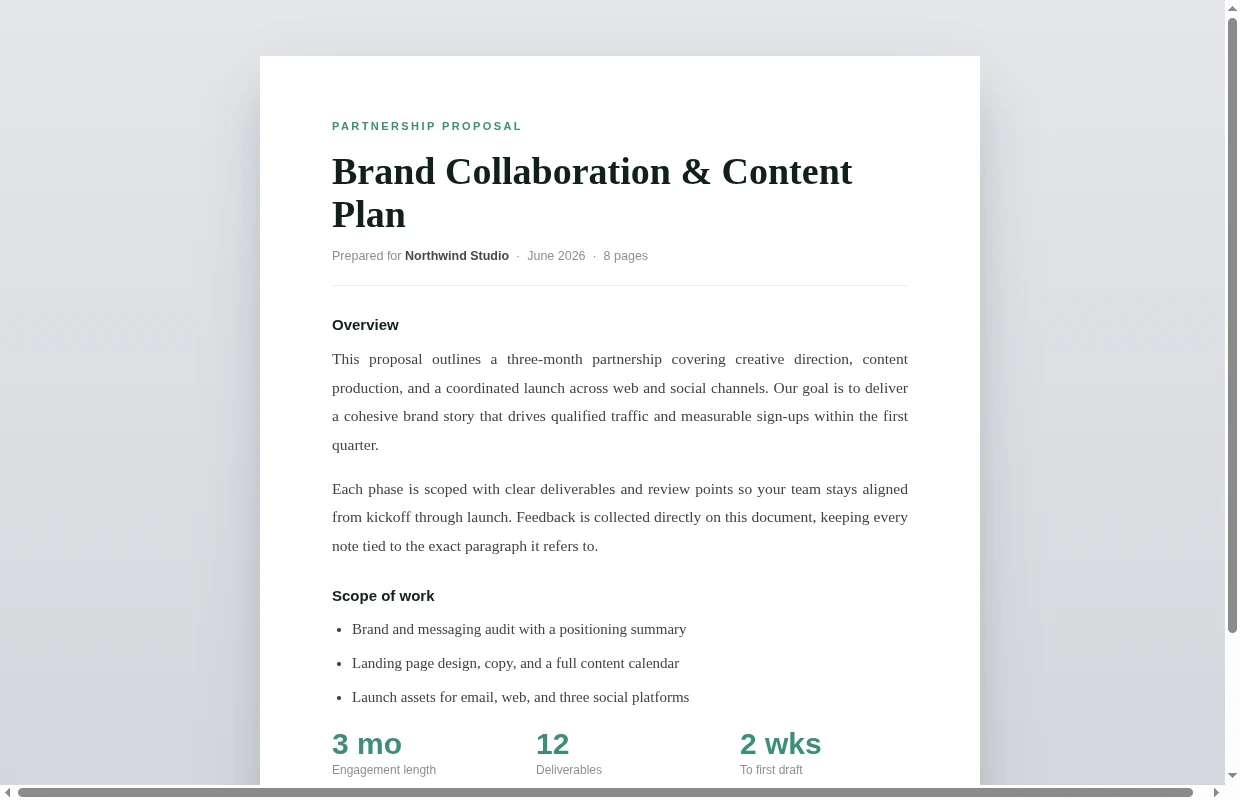

Mark up a PDF or document and collect feedback in one link
A PDF annotation tool lets you comment directly on a document instead of describing changes in a separate email. Markify renders each page of your PDF in the browser and lets you drop numbered pins exactly where the change belongs.
There is nothing to install and no desktop app required. Share the link and reviewers can read and add comments from any browser without signing up — perfect for proposals, contracts, design proofs and reports.
Everything you need to annotate a PDF
Pin comments on the page
Click any spot on any page to anchor a numbered comment exactly where it belongs.
No account to comment
Share one link — reviewers open it in any browser and reply without signing up or installing software.
Every page rendered
Multi-page PDFs render in full so you can annotate from the cover to the last page.
Real-time updates
See comments appear live as collaborators add them to the document.
Resolve & reopen
Track which notes are addressed and reopen any comment if it needs another pass.
Browser-based
No Acrobat, no plugins — everything runs in the browser and stays in one shareable canvas.
What people annotate with Markify
Common questions
Get started free
Annotate your first PDF now
No setup. No credit card. Free for your first 2 canvases.